Your challenge

Our solution

Licensing, Permits & Approval
- Digital application forms for building permits, trade licences, environmental approvals and event permits
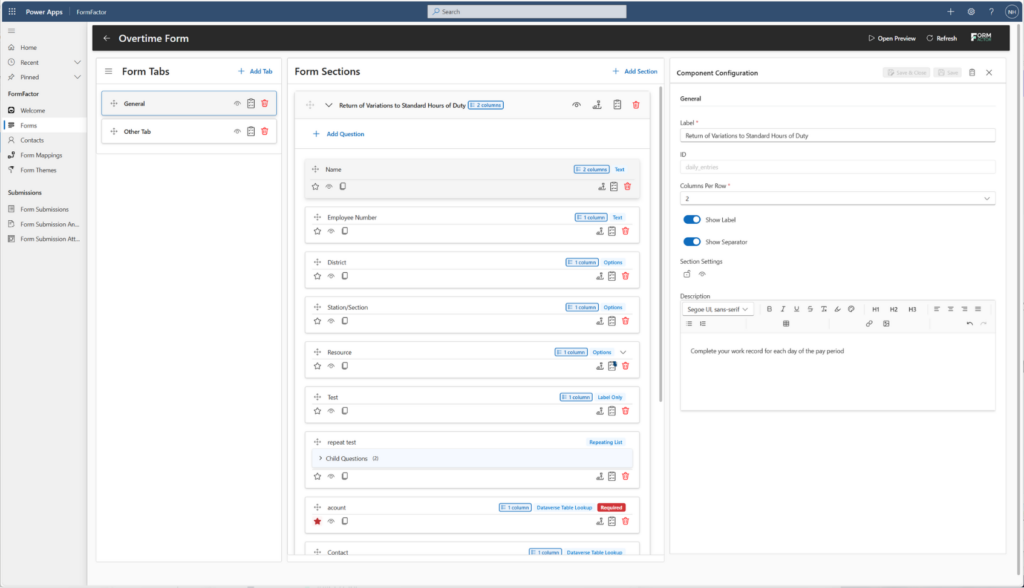
- Conditional logic that surfaces only the fields relevant to each permit type
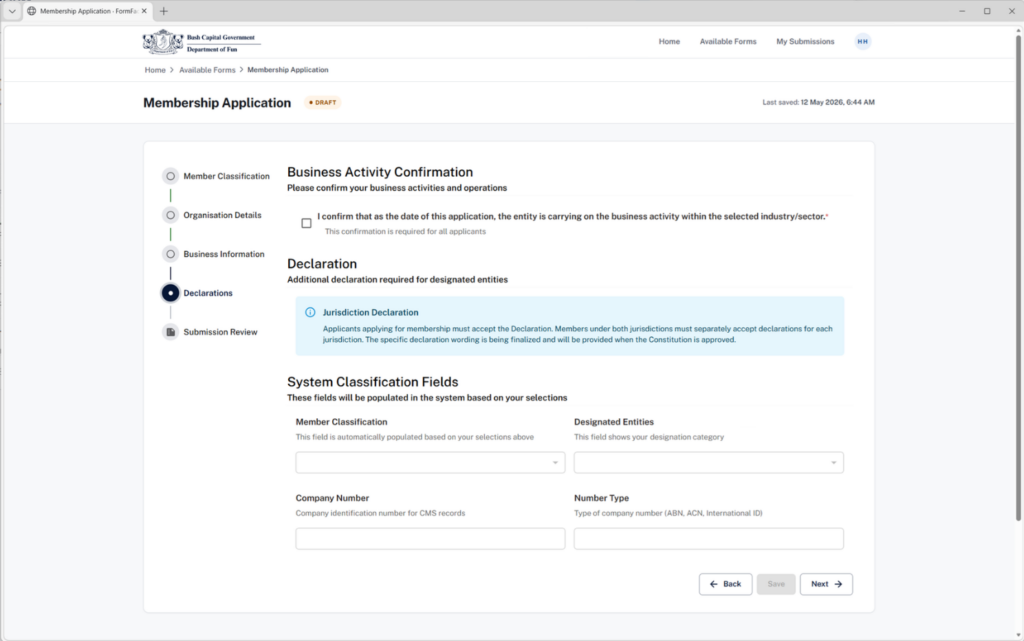
- Built-in document and evidence upload from any device
- Automated routing to assessors and inspectors via Power Automate
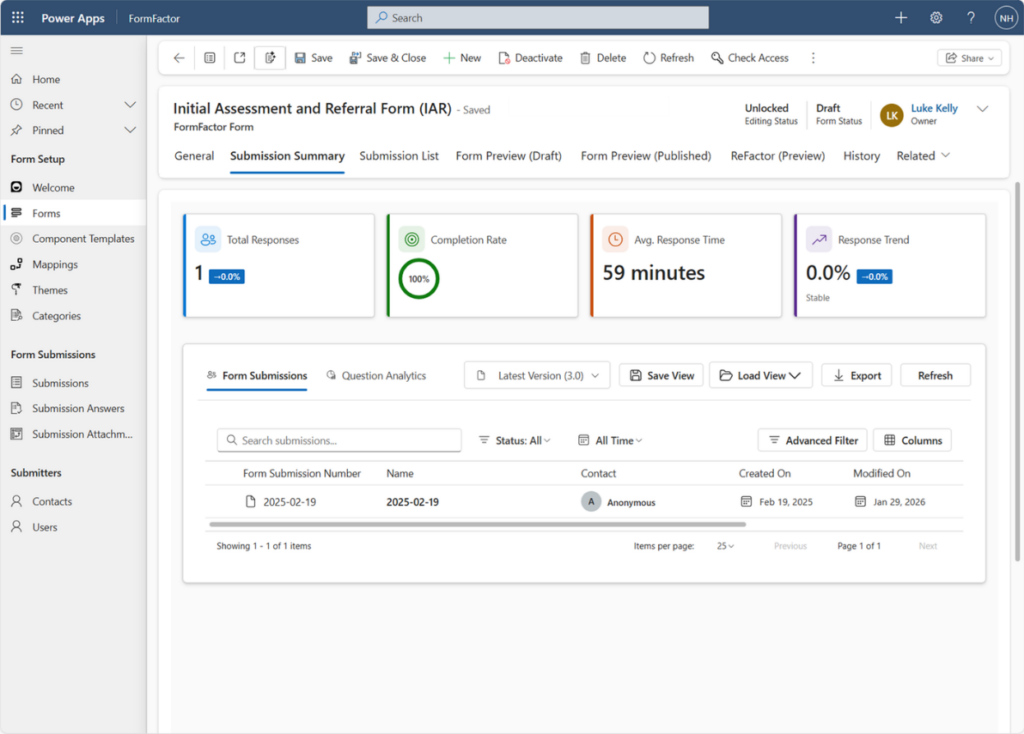
- Real-time status updates and applicant notifications
- Renewal and expiry reminders triggered before deadlines hit
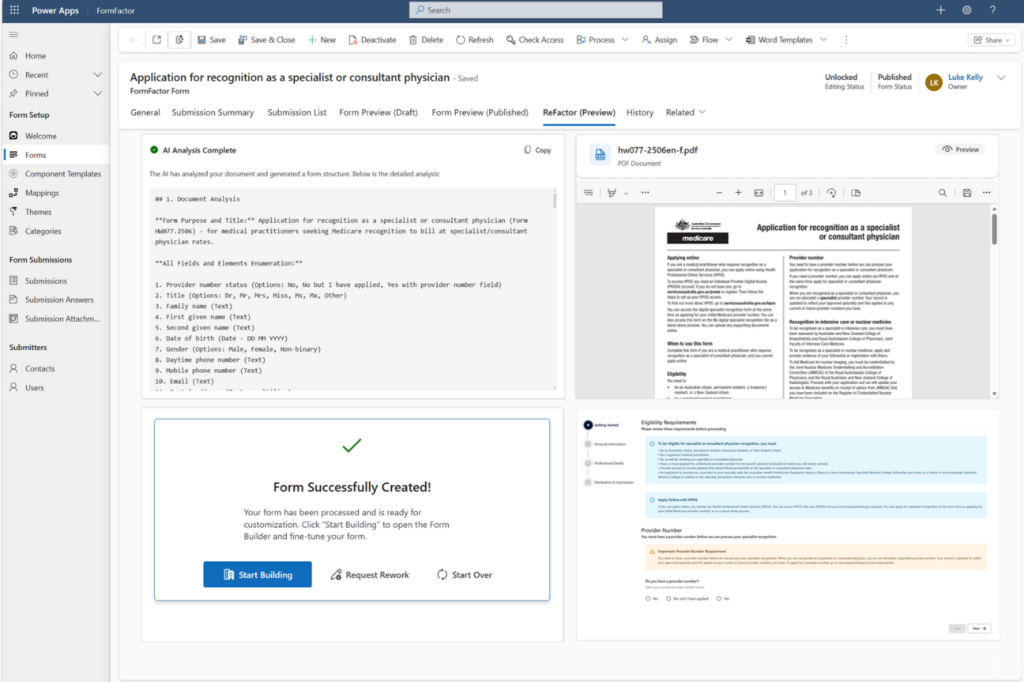
FormFactor turns paper-based licensing into a connected digital experience on Power Platform, capturing structured data from the very first submission and feeding it straight into Dynamics 365.

Grants & Funding Programs
- Online grant application forms for individuals, SMEs, NFPs and councils
- Eligibility screening built into the form flow
- Supporting evidence and budget document upload
- Milestone reporting and acquittal submission forms
- Automated reminders for reporting and acquittal deadlines
- Direct integration with grant management records in Dataverse
FormFactor gives applicants a clear, accessible front door and gives program teams complete, structured information from the moment of intake.

Complaints, Incidents & Feedback
- Public-facing complaint and feedback forms accessible on any device
- Anonymous reporting options where required
- Photo, document and location attachment from mobile
- Triage and priority scoring applied at submission
- Automated routing to the right department or investigator
- Staff misconduct reporting with secure access controls
FormFactor makes it easy for people to raise issues and for your teams to respond, all inside your Microsoft environment.

Social Services & Citizen Support
- Intake forms designed with accessibility and dignity in mind
- Housing, disability, youth and victim support application forms
- Document and identity verification upload
- Conditional pathways that adapt to the person's circumstances
- Secure, sensitive data capture through Microsoft Dataverse
- Mobile-first design for people without easy desktop access
FormFactor helps citizens access the support they need without wading through paperwork, while giving caseworkers the right information from the start.

Workforce, Industry & Professional Regulation
- Registration and certification application forms
- CPD logging and renewal submission forms
- Complaint and misconduct lodgement forms
- Employer practice declaration forms
- Evidence and qualification document upload
- Automated reminders for renewal and CPD deadlines
FormFactor digitises every interaction between regulator and registrant, capturing structured information consistently across the professional lifecycle.

Freedom of Information (FOI) & Right to Information (RTI)
- FOI and RTI request submission forms with structured scope capture
- Identity verification fields built in
- Third-party consultation forms
- Automated acknowledgement and clock-start notifications
- Document upload for supporting context
- Direct feed into review, redaction and disclosure workflows
FormFactor provides a clear, accessible front door for information requests, capturing exactly what your team needs to start the legislated clock with confidence.

Emergency & Disaster Management
- Disaster relief application forms accessible from any device
- Damage assessment lodgement forms with photo upload
- Evacuation centre registration forms
- Volunteer enrolment forms with skills and availability capture
- Geolocation tagging on field-based submissions
- Pre-built templates ready to deploy the moment events strike
FormFactor lets you stand up digital intake fast when it matters most, giving communities a way to access support without queueing for paper forms.

Environmental & Natural Resource Management
- Application forms for wildlife licences, water access and bore drilling permits
- Pollution event reporting forms with location and evidence capture
- Land use planning submission forms
- Field-friendly forms for site inspections and compliance checks
- Photo, sample and document upload from mobile
- Structured data ready for compliance, renewal and infringement tracking
FormFactor brings environmental applications and reporting into a mobile-first digital experience, supporting field officers and citizens alike.

Courts, Tribunals & Regulatory Enforcement
- Case filing forms with structured matter capture
- Witness statement submission forms
- Subpoena request forms
- Infringement notice review forms
- Secure document and evidence upload
- Form workflows aligned to procedural timeframes
FormFactor provides a secure, structured digital intake for court and tribunal processes, capturing every filing with the right evidence attached from the start.

Community Engagement & Public Consultation
- Submission forms for draft policy or legislation
- Local development plan feedback forms
- Survey-based input with conditional logic
- Anonymous and named submission options
- Document and image upload for visual feedback
- Structured outputs ready for categorisation, sentiment tracking and theming
FormFactor turns public consultation into a structured digital experience, making it easy for the community to contribute and easy for your team to make sense of what they hear.

Health & Aged Care Services
- Patient and client intake forms with conditional health screening
- NDIS plan, review and reassessment submission forms
- Aged care assessment and referral forms
- Clinical incident, medication error and near-miss reporting forms
- Telehealth consent and pre-appointment forms
- Carer and family contact registration forms
FormFactor captures sensitive health information with the privacy, accessibility and Dataverse-grade security that health and aged care providers need, ready to integrate with Dynamics 365 and existing clinical systems

Procurement & Supplier Onboarding
- Tender and Expression of Interest submission forms
- Supplier registration and pre-qualification forms
- ABN, insurance and accreditation verification
- Conflict of interest and probity declarations
- Vendor questionnaire and risk assessment forms
- Contract variation and extension request forms
FormFactor gives procurement teams a structured, auditable front door for suppliers, replacing inbox-based intake with a digital experience that captures everything required for assessment from the very first submission.